Introduction: advanced part
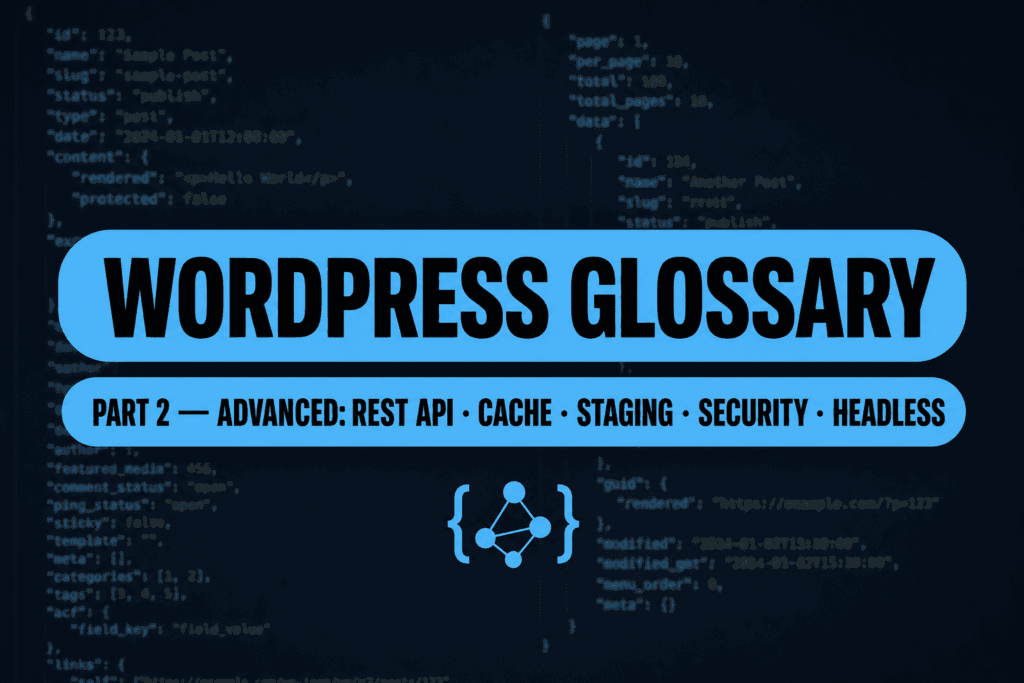
This half of the glossary is for maintainers, developers, and technical briefings: it assumes you read part one and goes one layer deeper into hosting, APIs, performance, and commerce.
Start with WordPress glossary of terms – part 1 (basics) if a term feels too heavy).
Tip: Treat this as a briefing lexicon – you do not need to memorize everything, but you will recognize the words your engineering partner uses.
Infrastructure and environments
Production is only one layer: staging, SSH, WordPress directories, and cron all appear in migration and audit runbooks.
Staging vs production
Definition: Production is what visitors see; staging is a separate environment (own URL/DB) for testing core, PHP, themes, and content before go-live.
In practice: Follow a staging → QA → production flow; see migrating WordPress to a new host when moving between servers.
Misunderstanding: A “backup zip on disk” is not staging – staging must run as a web property with its own URL configuration.
PHP runtime
Definition: The PHP version and extensions executing WordPress on the server (usually PHP-FPM for web requests).
In practice: Prefer PHP 8.3+ per WordPress recommendations (verified July 2026); test plugins/themes before bumping. See choosing the right PHP version.
Misunderstanding: “WordPress recommends 8.3+” does not mean every commercial plugin is certified on 8.5 without a staging test.
WP-CLI
Definition: Official command-line interface for WordPress (install/update plugins, search-replace, cron, users) over SSH.
In practice: Prefer WP-CLI for migrations and bulk ops; confirm CLI PHP matches FPM PHP.
Misunderstanding: WP-CLI access is not “full server root” – it still uses WordPress capabilities and the filesystem user of the site.
theme.json
Definition: Theme configuration file for global settings, styles, and block supports in block themes.
In practice: Change design tokens and editor controls without scattering CSS across templates; see also custom CSS options.
Misunderstanding: Editing theme.json in a parent theme is wiped on update – use a child theme or a custom plugin/override strategy.
SSH
Definition: Encrypted shell access to the server – commands, often WP-CLI, diagnostics, rsync.
In practice: Optional on shared hosting; common on VPS.
Misunderstanding: SSH is not the hosting GUI – different skill set and responsibility.
wp-content and uploads
Definition: wp-content holds themes, plugins, languages, and (by default) media; uploads is usually year/month folders of library files.
In practice: On migrations uploads is often the heaviest directory besides the database.
Misunderstanding: “Cleaning uploads” does not delete post rows – you can orphan attachments in content.
WP-Cron vs system cron
Definition: WP-Cron schedules tasks on page visits; system cron runs on the OS schedule independent of traffic.
In practice: Low-traffic or WooCommerce sites often disable WP-Cron spawning and hit wp-cron.php from system cron for punctual jobs (orders, subscriptions, reports).
Misunderstanding: “Cron is broken” ≠ “WordPress is broken” – often low traffic or blocked outbound calls.
Multisite
Definition: One WordPress install serving multiple sites (subdomains or paths) with shared core and often shared users.
In practice: Agencies and publishers; higher complexity than single-site.
Misunderstanding: Multisite is not “separate WordPress installs in one FTP” – one database with blog prefixes and a super admin model.
Important: URL changes between staging and production without a plan are a classic migration foot-gun – use the migration guide checklist.
Core, configuration, diagnostics
Files and constants you rarely click in the UI, but they define how WordPress behaves in production and development.
wp-config.php
Definition: Primary config file: database credentials, table prefix, salts, often environment flags.
In practice: Edit via FTP/SSH or host file editor – always back up first.
Misunderstanding: Pasting random snippets without syntax testing on a copy is a fast path to a white screen.
WP_DEBUG, DISALLOW_FILE_EDIT
Definition: WP_DEBUG surfaces PHP notices/errors for developers (usually off or logged on production). DISALLOW_FILE_EDIT removes the theme/plugin file editor from the admin.
In practice: Read WordPress debugging and error logs; for white screens see fixing the WordPress white screen of death.
Misunderstanding: WP_DEBUG printing to the page on production without logging is bad for security and UX.
Revisions
Definition: Historical versions of posts/pages stored in the database for compare/restore.
In practice: Saves editors from lost work; very active sites may watch database growth.
Misunderstanding: Bulk-deleting revisions on production without a backup is risky if plugins do it aggressively.
Transients
Definition: Temporary key/value data in the database (optional expiry) used as cache buffers by themes/plugins.
In practice: Sometimes cleared when “weird caching” appears – dedicated tools exist.
Misunderstanding: Transients are not the same layer as object cache in RAM.
Error logs
Definition: Text files or streams capturing PHP warnings/fatals and sometimes web server errors.
In practice: Read host logs or wp-content/debug.log when configured.
Misunderstanding: Empty WordPress debug log does not prove “nothing is wrong” – some errors only hit the web server log.
Key Takeaways:
wp-config.phpis an environment switch – treat edits on production seriously.- Keep WP_DEBUG controlled on production (log, not echo).
Content model (advanced)
Beyond posts and pages: taxonomies, attachment behavior, CPTs, and meta fields power catalogs and structured landing pages.
Taxonomy and taxonomy archive
Definition: A taxonomy groups content (categories, tags, or custom); an archive lists posts assigned to one term.
In practice: Decide whether archives should be indexed (SEO plugins can set noindex).
Misunderstanding: Hundreds of empty tag archives are technical debt, not “free SEO pages”.
Attachment and attachment pages
Definition: Media library items are attachment posts; some themes exposed thin “attachment pages” per file URL.
In practice: Many sites disable or redirect attachment pages to avoid thin duplicate URLs.
Misunderstanding: Deleting files only on disk without DB/content cleanup leaves 404s in posts.
Custom Post Type (CPT)
Definition: Additional content type (e.g. Case Study) with its own admin menu and often custom templates.
In practice: Defined in code or via a CPT plugin, then combined with taxonomies.
Misunderstanding: A CPT is not automatically “a better page” – it is a data modeling tool; poor CPT design complicates migration.
Post meta and ACF
Definition: Meta stores extra fields per post/page/CPT; ACF is a popular plugin UI layer on top of meta.
In practice: Theme templates read meta via WordPress APIs to build layouts.
Misunderstanding: Giant JSON blobs in meta hurt performance and backups – design fields intentionally.
Tip: When someone says “we need a CPT”, ask for field list, taxonomies, and archive URLs – those three define most of the work.
Themes and Full Site Editing
Block themes and the Site Editor move some decisions from the Customizer into JSON templates and global styles.
Child theme
Definition: A theme that inherits a parent while letting you override styles/files without editing the parent.
In practice: WordPress child theme: customize with ease.
Misunderstanding: A child theme does not “update the parent” – it protects your overrides when the parent updates.
Site Editor and FSE
Definition: Block-based editing of whole-site templates (header, footer, archives); FSE is the paradigm where the theme supplies blocks, theme.json, and global styles.
In practice: In block themes on WordPress 7, Appearance → Editor is the primary place for templates and styles; classic Customizer may be limited or absent.
Misunderstanding: FSE does not remove performance testing – it changes where layout decisions live.
Template and template part
Definition: A template defines layout for a view type; a template part is a reusable fragment (header block HTML).
In practice: Block theme developers ship these as files in the theme.
Misunderstanding: “Page template” in the page editor is not always the same concept as an FSE “template”.
Block theme vs classic theme
Definition: Block theme relies on theme.json and block templates; classic is heavier on PHP template hierarchy.
In practice: Switching models is a project, not a single toggle.
Misunderstanding: “Install a block theme and it will look like before” – widgets/menus often need rebuilding in new slots.
Important: Gutenberg / Site Editor capabilities evolve with core – document the WordPress version and active theme for audits (as of 2026 in project docs).
Code extensibility (developer glossary)
WordPress extends through hooks, theme files, and plugins – this vocabulary helps read snippets from GitHub without guessing.
Hooks: actions and filters
Definition: An action lets you run code at a lifecycle point; a filter passes a value through your function and expects a return value.
In practice: Plugins call add_action / add_filter during bootstrap.
Misunderstanding: Duplicating the same logic in header.php and functions.php creates ordering surprises.
functions.php
Definition: Theme file loaded at runtime for registering styles, hooks, and theme supports.
In practice: Business logic belongs in a plugin – themes change, plugins stay.
Misunderstanding: A huge unstructured functions.php is technical debt, not “saving a plugin install”.
MU-plugin and drop-in
Definition: MU-plugins live under wp-content/mu-plugins and are always on, not toggled in UI. Drop-ins like object-cache.php replace specific core behaviors.
In practice: Enterprise hosts use them for cache/logging integrations.
Misunderstanding: MU-plugins are not “faster plugins” – they are a deployment policy tool (cannot be disabled casually).
Shortcode
Definition: Bracket macros like expanded to HTML at render time.
In practice: Older stacks relied on shortcodes for layouts; blocks are now more common.
Misunderstanding: Shortcodes inside classic blocks complicate migration to pure blocks.
REST API as a data channel
Definition: JSON HTTP endpoints in core (and extended by plugins) for reading/writing content from external apps – central to WordPress 7 headless and AI tooling.
In practice: Foundation for headless, mobile apps, automation; retest consumers after core upgrades.
Misunderstanding: “REST enabled” does not mean “everything is public” – capabilities and nonces still gate mutations.
Tip: If a developer says “we hook
init”, that is an early action hook – not “DB initialization” in the DBA sense.
Performance and measurement
Performance spans PHP, database, theme, plugins, cache, CDN, and front-end – these terms help split responsibilities with hosting.
Page cache vs object cache
Definition: Page cache serves HTML (or edge-cached responses) without full PHP runs. Object cache (often Redis/Memcached via a drop-in) stores PHP objects to avoid repeated expensive queries and options hits.
In practice: See measuring WordPress page speed and page speed basics.
Misunderstanding: “I enabled a cache plugin” does not fix an N+1 query pattern in a template – it masks symptoms.
TTFB
Definition: Time to first byte – server/network path until the browser receives the first response byte.
In practice: High TTFB often needs hosting/query profiling, not only image tweaks.
Misunderstanding: TTFB is not LCP – LCP is a rendered content metric in the browser.
Core Web Vitals (LCP, INP, CLS)
Definition: Chrome UX metrics: LCP largest paint, INP interaction responsiveness, CLS layout stability.
In practice: Measure in PageSpeed Insights / CrUX; issues may be fonts, ads, JS, theme.
Misunderstanding: A good lab mobile score does not guarantee great field data for all users.
Lazy load and minification
Definition: Lazy load defers off-screen images; minification strips redundant characters from CSS/JS without changing behavior.
In practice: Too aggressive lazy loading can hurt LCP.
Misunderstanding: Minification does not remove the cost of third-party trackers.
CDN and edge caching
Definition: Edge networks can cache static assets and, with configuration, HTML at the edge.
In practice: CDN purge must align with editorial publish flows or editors “do not see changes”.
Misunderstanding: CDN does not fix slow admin/query paths – mainly public traffic.
Key Takeaways:
- Separate TTFB (server) from LCP (rendered content).
- Object cache helps hot paths – it does not replace content architecture.
Security terminology
Threat and control names – playbooks live in longer WordPress security articles on the blog.
Brute force
Definition: Automated password guessing against login.
In practice: Rate limits, 2FA, WAF – see firewall hardening and two-factor authentication.
Misunderstanding: Obscuring wp-admin alone is not cryptographic security.
XSS, SQLi, CSRF
Definition: XSS injects script into rendered output; SQLi manipulates SQL; CSRF tricks a logged-in browser into unwanted actions.
In practice: Nonces and sanitization are standard for forms and REST.
Misunderstanding: SSL does not stop XSS – TLS does not fix bad HTML escaping.
Nonce
Definition: WordPress-issued token protecting admin forms and some AJAX from CSRF.
In practice: “Nonce invalid” often means expired session or admin page caching.
Misunderstanding: A nonce is not “user password encryption” – different mechanism.
CVE and hardening
Definition: CVE identifies a published vulnerability; hardening reduces attack surface (e.g. disable file editing in admin).
In practice: Track CVEs for plugins you actually run – cheaper than incident response.
Misunderstanding: “Zero CVEs in a scanner” is not a guarantee – business logic flaws exist outside scanners.
WAF and malware
Definition: WAF filters HTTP requests by signatures; malware is hostile code on disk (often PHP in uploads or hacked plugins).
In practice: Cleaning: remove malware from WordPress.
Misunderstanding: CDN WAF does not remove the need to patch a vulnerable plugin – it buys time.
Backup vs restore
Definition: Backup is a copy; restore rebuilds state from that copy.
In practice: Backing up and restoring your WordPress site.
Misunderstanding: A week-old snapshot does not help if malware has been present for three weeks – retention depth matters.
Important: 2FA for admin accounts is a high ROI control – see two-factor authentication for WordPress.
Headless and modern front end
Decoupling CMS from presentation changes vocabulary: APIs, tokens, rendering strategies.
Headless and decoupled
Definition: Headless serves content via REST/GraphQL while a separate app renders UI; decoupled is broader partial separation.
In practice: Architectural choice – plan preview, auth, forms, and caching explicitly. See WordPress headless guide.
Misunderstanding: “Headless is always faster” – a poorly tuned front end and origin can be slower than a well-tuned classic stack.
REST vs GraphQL
Definition: REST exposes resources at URLs with JSON; GraphQL uses one endpoint where clients pick fields (often via WPGraphQL).
In practice: GraphQL can simplify complex mobile data shapes; REST fits simple integrations.
Misunderstanding: GraphQL is not automatically “more secure” – permissions and limits must be designed.
Endpoint, token, OAuth
Definition: Endpoint is a concrete API URL; token proves app/user identity; OAuth handles delegated authorization flows.
In practice: Application Passwords are separate from the admin login password conceptually.
Misunderstanding: Committing tokens to Git is an incident waiting to happen.
SSR, SSG, ISR
Definition: SSR renders HTML per request; SSG prebuilds HTML at deploy; ISR regenerates static pages on rules (common in Next.js ecosystems).
In practice: Strategy affects how fast CMS edits appear publicly and how loaded the origin is.
Misunderstanding: “Static front end” does not mean “no WordPress database” – WordPress can still be the CMS of record.
Tip: In headless briefs always specify URL ownership (CMS vs front end) and the preview model for editors.
E-commerce terminology
WooCommerce layers orders and products on WordPress – these words appear in payment and fulfillment integrations.
WooCommerce
Definition: Dominant WordPress e-commerce plugin – products, cart, checkout, gateways.
In practice: Needs performance care (sessions, cart tables) and compliance work outside this glossary.
Misunderstanding: “WooCommerce = finished store” – you still configure tax, shipping, emails, templates.
Product and variation
Definition: Simple product has one SKU; variations add size/color dimensions with their own SKUs/prices.
In practice: More variations mean more DB rows and SEO surface to maintain.
Misunderstanding: Product attributes are not the same as blog categories – different data model.
Cart, checkout, payment gateway
Definition: Cart holds line items; checkout collects details and payment; gateway integrates Stripe/Przelewy24/etc.
In practice: Test checkout in sandbox before campaigns.
Misunderstanding: “We have SSL so PCI does not matter” – oversimplified; scope depends on integration model.
Order and webhook
Definition: An order is a purchase record with statuses; a webhook is an HTTP callback to ERP/fulfillment on events.
In practice: Webhooks should be idempotent and authenticated.
Misunderstanding: Webhooks are not cron – push model, though retries can feel similar.
Important: Store theme selection is its own research thread – start with top WordPress themes for online stores as a survey, not the only truth.
Process and DevOps
When Git, Composer, and CI/CD appear, WordPress is also a repository of deployable artifacts.
CI/CD
Definition: Automated build/test/deploy pipelines triggered by repository events.
In practice: Reduces “works on my laptop” risk on staging/production.
Misunderstanding: CI/CD without regression checks can still ship visual breakage.
Git repository
Definition: Version history for custom theme/plugin code or a monorepo.
In practice: Do not commit generated assets like uploads or cache directories.
Misunderstanding: “Commit entire wp-content” bloats the repo and leaks secrets into history.
Composer and npm
Definition: Composer manages PHP dependencies; npm manages JavaScript packages for theme builds.
In practice: Modern themes run npm run build; PHP libraries load via Composer.
Misunderstanding: Shipping raw node_modules to a crowded shared host can be risky and heavy.
Key Takeaways:
- Git protects code – it does not replace database + uploads backups.
- CI/CD without a documented rollback is only half a release process.
WordPress 7 terms
Short definitions for features that landed with WordPress 7.x – verified July 2026 against the Armstrong / 7.0.x line.
Abilities API
Definition: Core API that registers discrete “abilities” (capabilities) AI and other clients can discover and invoke in a controlled way.
In practice: Relevant if you build AI integrations or custom tools on WordPress 7 – not something most site owners configure by hand.
Misunderstanding: Installing WordPress 7 does not mean every ability is enabled or connected to an external model – Connectors and policy still matter.
WP AI Client / Connectors
Definition: Core client and admin Connectors screen for wiring WordPress to AI providers under site-controlled settings.
In practice: Optional – configure only if your workflow needs AI features; keep privacy and data-retention policies explicit.
Misunderstanding: Core AI plumbing is not the same as “the site writes itself” – content quality and permissions still decide outcomes.
Command Palette
Definition: Keyboard-driven command UI in wp-admin for jumping to screens and actions quickly.
In practice: Speeds up admin navigation on WordPress 7 for power users and agencies.
Misunderstanding: It does not replace capability checks – users still only see what their role allows.
Visual revisions
Definition: Improved revision browsing that helps compare how content looked across saves, not only raw text diffs.
In practice: Useful for editorial rollback when layout blocks change between revisions.
Misunderstanding: Revisions are not a backup strategy for the whole site – still keep real backups.
Responsive styling (editor)
Definition: Editor controls for adjusting block styles across breakpoints without leaving the block editor.
In practice: Reduces one-off custom CSS for simple spacing/typography tweaks on block themes.
Misunderstanding: Responsive controls do not remove the need to test real devices and Core Web Vitals.
Summary
Part two closes infrastructure, diagnostics, data modeling, block themes, hooks, performance, security, headless, WooCommerce, and DevOps vocabulary – the language of maintenance and growth, not first-day editor onboarding.
If a term still feels heavy, return to part 1 or contact us to translate a brief into an execution plan.
Important: Production and staging are different worlds – document both URLs and which database is the source of truth before any migration.
Index (part 2)
Jump to a term – anchors match the H3 ids in this article.
- Abilities API · AI Client / Connectors · Command Palette
- Staging vs production · SSH · WP-Cron vs system cron · WP-CLI · PHP runtime
- wp-config.php · REST API · theme.json
- Child theme · Site Editor / FSE · Block vs classic theme
- Page vs object cache · Headless
- Visual revisions · Responsive styling
- Related guides: glossary part 1, debugging, headless, child theme, custom CSS